Yellowing leaves? Brown spots? Holes in your tomatoes or tiny bugs nibbling on your zucchini? Wondering what’s eating your plants? The Plant Problem ID tool can help.
This free tool lets you figure out what’s wrong with your outdoor vegetables, herbs, fruits, or flowers and shows exactly how to fix it. Simply select your plant, indicate the affected part, and describe the symptoms. The tool quickly narrows down the most likely pest or disease and links you to detailed treatment and prevention guides.
Plant Problem ID Tool
How the Plant Problem ID Tool Works
Step 1: Select Your Plant
Choose from outdoor vegetables, herbs, fruits, or flowers.
Step 2: Choose Problem Area
Indicate the affected part — leaves, stems, roots, flowers, or fruit.
Step 3: Describe Symptoms
Tell us what you’re seeing: spots, wilting, holes, pests, discoloration, or unusual growths.
Diagnosis Result
The tool provides an instant identification of the most likely pest, disease, or nutrient problem. Each result links to a guide with step-by-step treatment and prevention tips.
Why Use the Plant Problem ID Tool
Whether you’re a backyard gardener or managing a larger vegetable patch, this tool helps you:
- Diagnose quickly — Identify plant problems in minutes.
- Be comprehensive — Covers pests, fungal or bacterial diseases, and critters in the garden.
- Take action — Get clear treatment and prevention steps.
- Use freely — No signup required.
- Focus on outdoor plants — Works for vegetables, herbs, fruits, and flowers grown in gardens.
Real-Life Example
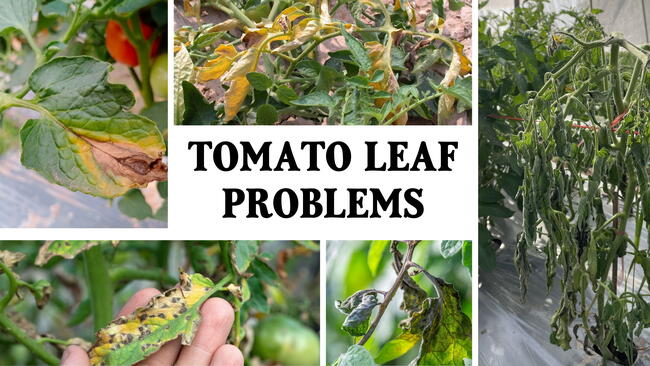
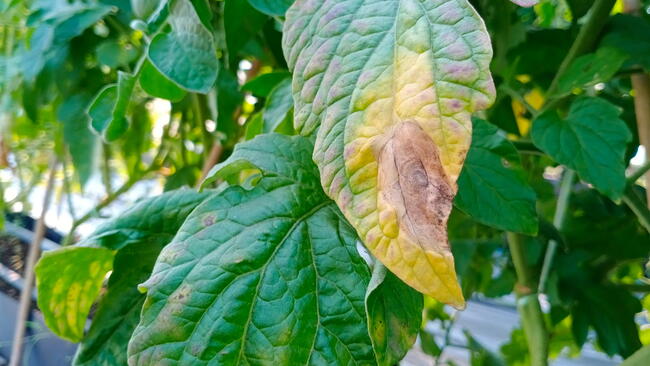
You notice your tomato leaves are full of tiny holes, and some of the fruit has dark, sunken spots. You might wonder, “Is this blight? Or are bugs eating my tomatoes?” Using the Plant Problem ID tool, you select “Tomato,” choose “Leaves and Fruit,” and describe the symptoms. The tool identifies blossom end rot as the most likely issue, explains the probable cause, and gives clear steps to treat it. It also links to guides showing how to prevent pests or diseases from spreading to the rest of your garden.
Frequently Asked Questions
Q: Can I report multiple symptoms?
A: Yes — selecting more than one symptom improves diagnosis accuracy. The more detail you provide, the better the tool can narrow down likely causes.
Q: What if the tool shows more than one possible problem?
A: Sometimes multiple pests or diseases can cause similar symptoms. The Plant Problem ID tool narrows down the most likely causes based on your input, but a single diagnosis may not cover everything. Each result links to a detailed guide where you can confirm the problem and follow step-by-step treatment and prevention advice.
Q: Can this tool diagnose indoor plant problems?
A: No — indoor plants often have cultural or environmental problems, like light, water, or humidity issues, which are different from outdoor pests and diseases. The Plant Problem ID tool is designed specifically for garden plants.
Q: Is it beginner-friendly?
A: Yes — it’s simple, jargon-free, and practical for gardeners of all experience levels.
Q: Where can I learn more about treatment?
A: Each diagnosis links to a detailed guide with prevention and treatment steps, so you can fix the problem and keep it from coming back.
Explore More Gardening Resources
Looking for deeper guidance or planning tools? Check out these free Almanac resources:



Comments